
Workstation PCs
A workstation PC is built for one thing: getting serious work done quickly and reliably. Our range covers video editing, photo editing, CAD and engineering, AI and data work, and multi-screen trading, with every system custom built in Melbourne, stress tested under full load and delivered anywhere in Australia.
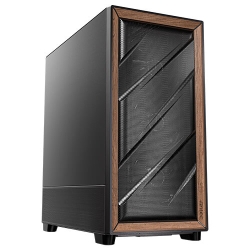
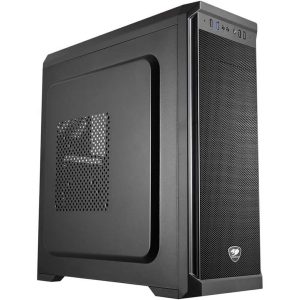
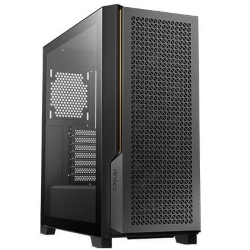
CAD COMPUTERS
CAD Workstation
Core Ultra 7 270K Plus with RTX PRO Options
- CPU
- Core Ultra 7 270K Plus
- GPU
- 8GB RTX 5060
- RAM
- 32GB DDR5
- SSD
- 1TB NVMe
$2,924 $3,899
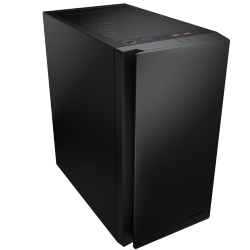
OFFICE COMPUTERS
Home Office PC
Intel Core Ultra 7 265, Quiet and Compact
- CPU
- Core Ultra 7 265
- GPU
- Intel integrated graphics
- RAM
- 16GB DDR5
- SSD
- 1TB NVMe
$2,249 $2,999
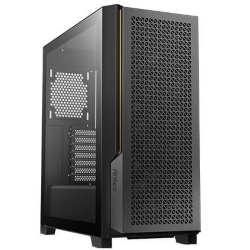
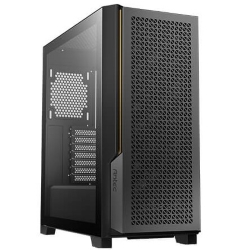
PHOTO EDITING COMPUTERS
PC for Photo Editing
Core Ultra 7 270K Plus, 32GB DDR5
- CPU
- Core Ultra 7 270K Plus
- GPU
- 8GB RTX 5060
- RAM
- 32GB DDR5
- SSD
- 1TB NVMe
$2,999 $3,999
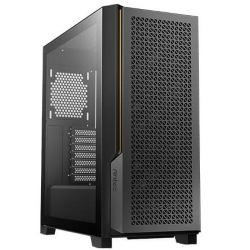
PHOTO EDITING COMPUTERS
PC for Video Editing
i7-14700KF, 32GB, 3TB SSD
- CPU
- Core i7-14700KF
- GPU
- RTX 5060
- RAM
- 32GB
- SSD
- 1TB NVMe
$3,375 $4,500
TRADING COMPUTERS
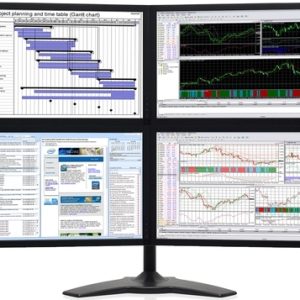
Trading PC
Core Ultra 7 265F, 32GB DDR5, Up to 8 Screens
- CPU
- Core Ultra 7 265F
- GPU
- 8GB RTX 5050
- RAM
- 32GB DDR5
- SSD
- 1TB NVMe
$2,924 $3,899
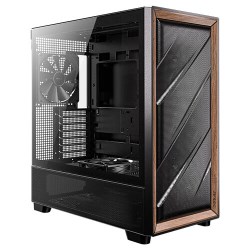
CAD COMPUTERS
Ultra 9 AI PC
Intel Core Ultra 9 285 with NPU
- CPU
- Core Ultra 9 285
- GPU
- 8GB RTX 5060
- RAM
- 32GB DDR5
- SSD
- 1TB NVMe
$3,749 $4,999
What makes a workstation different
A regular office computer is designed for email, documents and web browsing. A workstation computer is designed for sustained heavy workloads: rendering a 4K timeline, rebuilding a large assembly, processing a batch of RAW files or running an AI model, often for hours at a time. That changes how it is built.
Workstations use processors with more cores and higher clock speeds, more memory, faster storage and graphics cards that accelerate professional software. Just as importantly, they are cooled and powered properly, so they hold full speed during long jobs without throttling, crashing or sounding like a jet engine.
Choose a workstation PC by the work you do
Video editing
Editing and exporting video uses every part of a computer. Our PC for video editing pairs a 20-core Intel i7 with NVIDIA graphics and two fast NVMe drives, while the i9 PC steps up to 24 cores for faster exports and heavier effects.
Photo editing
Lightroom and Photoshop reward fast cores, plenty of RAM and a capable graphics card for AI features. The PC for photo editing uses an Intel Core Ultra 7 270K Plus, 32GB of DDR5 and support for four monitors.
CAD and engineering
For AutoCAD and 2D drafting, the CAD PC with an NVIDIA RTX A400 is great value. For Revit, SolidWorks, Inventor and large BIM models, the CAD workstation offers RTX PRO Blackwell graphics up to the 32GB RTX PRO 4500.
AI and data
If you run local language models, generate images or work with data science tools, the AI PC combines a Core Ultra 9 processor and NPU with NVIDIA graphics, and can be configured with RTX PRO cards and up to 128GB of memory. The AMD Ryzen PC is another excellent choice, with Ryzen 9 options of up to 16 cores.
Trading and multi-screen work
Traders and analysts who live across many screens will find the trading PC ideal, with support for up to eight monitors.






How to spec a workstation PC
Processor: cores or clock speed?
It depends on your software. Rendering, video exports, simulation and compiling use many cores, so an i9, Core Ultra 9 or Ryzen 9 shines. Modelling in CAD, many Adobe tasks and trading platforms rely more on single-core speed, where a fast Core Ultra 7 or i7 is often just as quick. Tell us what you use and we will recommend the right balance.
Memory
32GB is a good starting point for most professional work. Choose 64GB for large video projects, BIM models and big Photoshop files, and 96GB or 128GB for very large datasets, 8K video, complex simulations or several virtual machines.
Graphics
GeForce cards are excellent for video editing, photo editing, 3D rendering and AI, and offer great value. NVIDIA RTX PRO Blackwell cards are certified for professional CAD and engineering applications, use drivers tuned for stability, and offer larger amounts of video memory. You can read more about them on NVIDIA’s workstation graphics pages.
Storage
Fast NVMe storage makes a huge difference to how responsive a workstation computer feels. We recommend a separate drive for projects and media where possible, and a large hard drive or NAS for archives and backups.
Cooling, noise and power
Long renders and exports push a system hard for hours. Our workstations use liquid cooling or high performance air coolers, quality case fans and 80+ rated power supplies so they stay cool, quiet and stable.
A workstation PC you can count on
When your income depends on your computer, reliability matters more than anything. Every workstation PC we build is assembled by hand, with neat cable management and memory profiles enabled, then stress tested on both the processor and graphics card before it ships. We use proven parts from brands such as Intel, AMD, NVIDIA, ASUS, Corsair and Kingston.
Windows 11 Professional is available on most systems and adds business features such as BitLocker drive encryption and Remote Desktop. Many systems also offer Microsoft Office as an option.
Who uses our workstation PCs
Our customers include video editors and YouTubers, wedding and commercial photographers, architects and drafters, mechanical and civil engineers, 3D artists, software developers, data analysts, accountants who live in enormous spreadsheets, and traders who watch the markets all day. What they have in common is that time spent waiting on a computer is time they cannot bill for.
A good workstation computer pays for itself by removing those waits. Faster exports, smoother previews, quicker rebuilds and fewer crashes add up to hours saved every month, and less frustration at the end of a long day.
Replacing an older workstation computer
If your current machine is four or five years old, a new system will feel dramatically faster. Modern processors have more cores and higher clock speeds, DDR5 memory is quicker, NVMe drives are many times faster than older SATA SSDs, and today’s graphics cards accelerate far more tasks in creative and engineering software.
When you order, tell us what you are replacing and what frustrates you about it. We will make sure your new workstation PC fixes those problems, and we can suggest the best way to move your files and software across.
A workstation PC Australia businesses can rely on
We build every system in Melbourne and deliver to all states and territories, usually within one to three working days once your workstation has been built and tested. You deal directly with the team that builds your computer, and we are happy to help with choosing parts, setting up software or planning upgrades. For freelancers, small studios, engineering firms and trading desks, that local support is a big part of why they choose a workstation PC Australia-built rather than imported.
Custom workstation PCs
Need a specific configuration, multiple identical machines for a team, or a system certified for a particular application? Email us your spec with your software, budget and timeline, and we will put together a quote. You can also browse our full range of desktop PCs.
Workstation questions answered
What is the difference between a workstation and a gaming PC?
There is a lot of overlap, but workstation PCs prioritise stability, memory capacity, storage and, where needed, certified professional graphics. Gaming PCs prioritise graphics performance for games. Many of our workstations are also very good at gaming.
How much should I spend on a workstation computer?
Spend where your software needs it. A photographer gets more from fast cores and RAM than from a top-end graphics card, while a 3D artist may need the opposite. Tell us your workflow and budget, and we will put the money where it makes the biggest difference.
Do I need a professional graphics card?
Only for certain software. SolidWorks, large Revit models and some engineering tools benefit from certified RTX PRO cards. For video editing, photo editing and most 3D work, GeForce cards are excellent.
Can I order several identical workstation PCs?
Yes. We can build matching systems for teams and offices, which keeps software setups consistent and makes support simpler. Email us with the number of machines, your software and your timeline, and we will quote the whole order.
Can a workstation PC be upgraded later?
Yes. Our workstation PCs use standard parts and have room for more memory, storage and faster graphics cards, so they can grow with your work.