OFFICE COMPUTERS
Home Office PC
Intel Core Ultra 7 265, Quiet and Compact
- CPU
- Core Ultra 7 265
- GPU
- Intel integrated graphics
- RAM
- 16GB DDR5
- SSD
- 1TB NVMe
$2,249 $2,999
BLACK FRIDAY EARLY ACCESS
25% off every PCTaken off the full price. Ends Cyber Monday.
ENDS IN
Shop early accessA good office computer should be fast, quiet and completely dependable, so you can focus on your work instead of waiting on it. Our office systems use modern Intel Core Ultra processors, fast NVMe storage and Wi-Fi with Bluetooth, and every one is custom built in Melbourne, tested and delivered anywhere in Australia.
OFFICE COMPUTERS
Intel Core Ultra 7 265, Quiet and Compact
$2,249 $2,999
GAMING COMPUTERS
Intel Core Ultra 7 265KF + RTX 5060
$2,924 $3,899
Office work has changed. A typical day now includes video calls in Teams or Zoom, Outlook, large Excel workbooks, cloud apps, a CRM, accounting software such as MYOB or Xero, and dozens of browser tabs, often all at once and across two or three screens. An older computer that coped with email and documents can struggle badly with that mix.
A modern office PC handles all of it smoothly. Apps open instantly, video calls stay clear while you share your screen, and switching between programs never makes you wait.
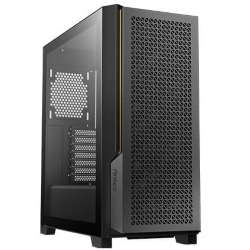
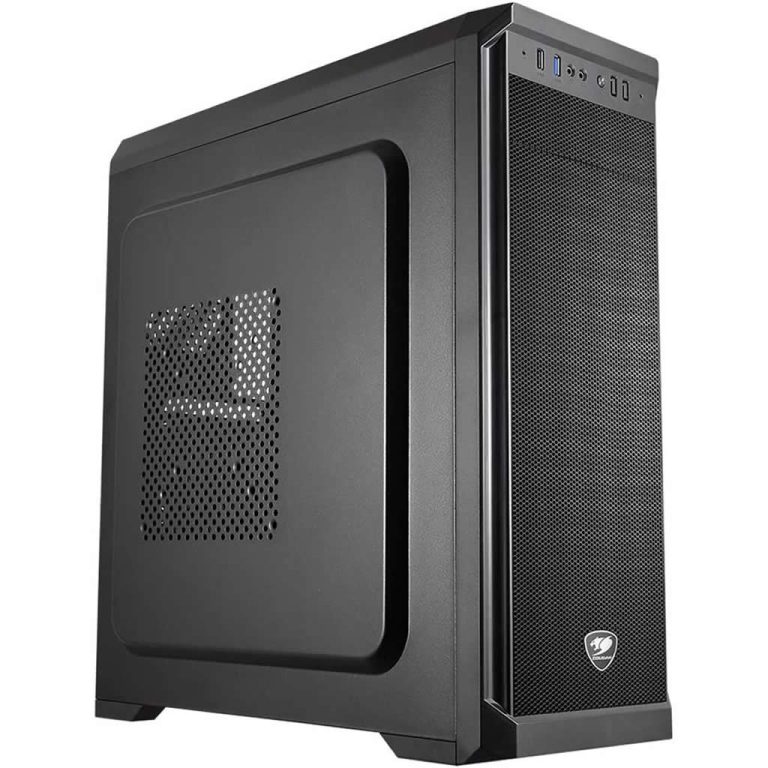
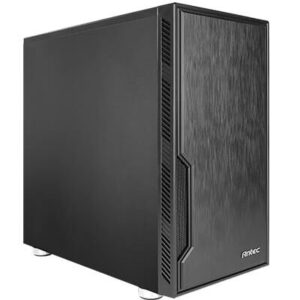
The home office PC is our go-to recommendation for working from home and small offices. It uses an Intel Core Ultra 7 265 with 20 cores, 16GB of DDR5, a 1TB Kingston Gen 4 SSD, Wi-Fi with Bluetooth and support for three monitors, all in a compact, quiet mini tower with removable dust filters.
If you work with large spreadsheets and databases, edit photos for marketing, or want the option to game after hours, the Ultra 7 PC adds 32GB of DDR5, liquid cooling, an RTX graphics card and support for four monitors.
Drafters can use the CAD PC with professional NVIDIA graphics, and finance teams who watch the markets can choose the share trading computer with four-screen support out of the box.
A modern Intel Core Ultra 7 is more than enough for office work, with plenty of headroom for video calls and multitasking. It is also more power-efficient than older chips, which keeps the system cool and quiet.
16GB of RAM is ideal for most office users. Choose 32GB if you work with very large spreadsheets, databases, many browser tabs or virtual machines.
An NVMe SSD makes startup, file access and app loading dramatically faster than a hard drive. 1TB is plenty for most users, especially if you store files in OneDrive, SharePoint or Google Drive.
Two screens can make you noticeably more productive. Our office systems support at least three monitors, so you can keep email, documents and video calls visible at the same time.
Wi-Fi with Bluetooth lets you place the computer anywhere and use wireless headsets, keyboards and mice. Ethernet gives the most reliable connection for video calls and large uploads. Plenty of USB ports cover webcams, printers, docks and drives.
Windows 11 Home is installed as standard. For business use, we recommend Windows 11 Professional, which adds BitLocker drive encryption, Remote Desktop hosting, Group Policy and easier management on a company network or with Microsoft 365 Business. Microsoft Office can also be added when you order.
Cheap, mass-produced office machines often use slow storage, minimal memory and noisy coolers, and they start to feel sluggish within a couple of years. A quality business desktop PC lasts much longer. We use branded parts, efficient processors, fast SSDs and quality coolers, and every system is designed with room to upgrade memory and storage later.
That longer life means a lower cost over time, less downtime and fewer frustrated staff. It also means fewer replacements, less e-waste and less time spent setting up new machines.
If your current machine takes minutes to start, freezes during video calls, struggles when you open a large spreadsheet, or makes a constant whirring noise, it is costing you time every day. Other warning signs include a nearly full hard drive, Windows updates that take forever, and software that no longer supports your operating system.
Five minutes lost here and there adds up to hours each month. For most people, replacing an ageing office computer with a modern system pays for itself quickly in time saved and frustration avoided.
A few simple choices make a big difference to how you feel at the end of the day. Place your monitors at eye level, about an arm’s length away. Use a second screen for email and chat so your main screen stays focused on the task at hand. A good webcam and headset will make video calls clearer, and a compact office PC tucked under the desk keeps your workspace tidy.
Business data deserves protection. We recommend Windows 11 Professional with BitLocker for business users, a password manager, two-factor sign-in for Microsoft 365 and other cloud services, and automatic backups to OneDrive or an external drive. Internet security software can be added when you order your office desktop computer.
Need several identical machines for your office? We can build matching systems for small businesses, which keeps software setups consistent and makes support easier. Email us your spec with the number of computers you need, the software you use and your timeline, and we will put together a quote.
Every office computer we sell is assembled by hand in our Melbourne workshop, updated with the latest Windows and driver updates, and tested before it ships. We deliver to every state and territory, usually within one to three working days once your system has been built and tested. Our team is available by email if you need help moving files from an old computer or setting up monitors.
You can also browse our full range of desktop PCs. For more about the processors we use, see Intel’s Intel Core Ultra Series 2 page.
For desk-based work, yes. A desktop gives you more performance for the money, supports more monitors, runs quieter and is easier to upgrade and repair.
The home office PC supports three monitors, and the Ultra 7 PC supports four.
If your work is mostly email, documents, spreadsheets, video calls and cloud apps, the home office PC is ideal. If you work with very large files, edit photos or want a graphics card for the occasional game, choose the Ultra 7 PC. Not sure? Email us a quick description of your day-to-day work and we will recommend the right one.
Microsoft Office Home or Home and Business can be added when you order, or you can sign in with your existing Microsoft 365 account once the computer arrives.
Yes. Windows 11 Professional is available as an option, and we recommend it for any computer used for business.
Yes. Our office systems use efficient processors and quality coolers, so they run quietly during normal work.