
CAD Computers
Our CAD computers are built for architects, engineers, drafters and product designers who need smooth, stable performance in AutoCAD, Revit, SolidWorks, Inventor, Fusion, ArchiCAD and SketchUp. Each system is custom built in Melbourne with professional NVIDIA graphics options, tested before it ships and delivered anywhere in Australia.
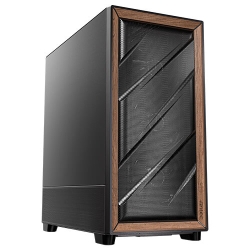
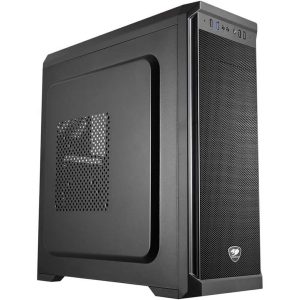
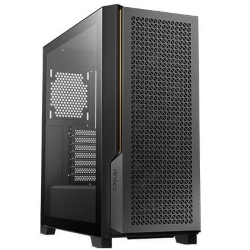
CAD COMPUTERS
CAD Workstation
Core Ultra 7 270K Plus with RTX PRO Options
- CPU
- Core Ultra 7 270K Plus
- GPU
- 8GB RTX 5060
- RAM
- 32GB DDR5
- SSD
- 1TB NVMe
$2,924 $3,899
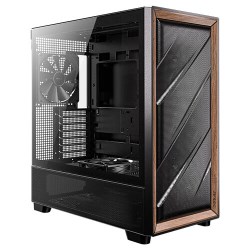
CAD COMPUTERS
Ultra 9 AI PC
Intel Core Ultra 9 285 with NPU
- CPU
- Core Ultra 9 285
- GPU
- 8GB RTX 5060
- RAM
- 32GB DDR5
- SSD
- 1TB NVMe
$3,749 $4,999
Why CAD needs the right computer
CAD software behaves differently to games and office apps. Most modelling and drafting operations rely on one or two very fast processor cores, so clock speed matters more than core count. The graphics card keeps large models moving smoothly in the viewport, and stable, certified drivers reduce crashes and display glitches. Memory determines how large an assembly or BIM model you can work on comfortably.
A good computer for CAD balances all of these. A machine that is great for gaming or video editing is not automatically the best choice, which is why we build our CAD range specifically around design software.
Our CAD computers
For AutoCAD and 2D drafting
The CAD PC pairs an Intel Core i5-14400F with a professional NVIDIA RTX A400, 16GB of RAM and a 1TB NVMe SSD for $2,500. It is ideal for AutoCAD, AutoCAD LT, DraftSight, BricsCAD and lighter 3D work, and a great choice for students and small offices. An 8GB RTX A1000 upgrade is available.
For Revit, SolidWorks and large 3D models
The CAD workstation uses an Intel Core Ultra 7 270K Plus with speeds up to 5.5GHz, 32GB of DDR5 and a choice of graphics up to the 32GB NVIDIA RTX PRO 4500 Blackwell. Memory can go up to 128GB for very large models, and Core Ultra 9 processors are available for heavier rendering.
For design work plus rendering and AI
If you render in Enscape, Twinmotion, Lumion or V-Ray, or use AI tools alongside your design work, the AMD Ryzen PC and Core Ultra 9 AI PC offer more cores and RTX PRO Blackwell options for certified workflows.



Choosing a CAD computer
Processor
Look for high boost clock speeds first. Intel’s Core Ultra 7 and Core Ultra 9 processors are strong choices because they combine fast single-core speed with plenty of cores for rendering and multitasking. If you mainly draft in 2D, a modern Core i5 is perfectly capable.
Graphics card
Professional NVIDIA cards such as the RTX A400, RTX A1000 and RTX PRO Blackwell series are certified by major CAD vendors and use enterprise drivers tested for stability. SolidWorks in particular works best with certified cards, which also unlock features like RealView. For AutoCAD, SketchUp and Fusion, GeForce cards also work well. You can read more about NVIDIA’s entry professional card on the RTX A400 page.
Memory
16GB is enough for 2D drafting and small models. 32GB suits most 3D and BIM work, and 64GB or more is recommended for large assemblies, federated Revit models and point clouds.
Storage
A fast NVMe SSD makes opening and saving large drawings far quicker. If you work with local project files, a second SSD keeps them separate from Windows and your applications.
Monitors
Most designers work best with two or more screens: one for the model and one for references, properties and email. Our systems support at least three monitors, and many support four.
Software our CAD computers are built for
We configure systems for Autodesk AutoCAD, Revit, Inventor, Civil 3D and Fusion, Dassault SolidWorks, Graphisoft ArchiCAD, Trimble SketchUp, Vectorworks, Rhino, BricsCAD and DraftSight, as well as rendering tools such as Enscape, Twinmotion, Lumion and V-Ray. If you use something more specialised, tell us and we will check the requirements before recommending a build.
Laptop or desktop for CAD?
Laptops are handy on site and in client meetings, but for day-to-day design work a desktop is far better value. Desktop processors and graphics cards run at full speed for longer without overheating, you can connect several large monitors, and upgrading memory, storage or graphics later is simple. A desktop CAD computer also tends to be quieter under load and lasts years longer.
Many of our customers use a modest laptop for travel and a powerful desktop computer for CAD back at the office, syncing their projects through a server or cloud storage.
Common problems a better CAD computer fixes
If your current machine struggles, you will probably recognise some of these: slow regeneration in AutoCAD, laggy panning and orbiting in 3D views, long waits when opening or syncing Revit models, display glitches, and crashes when working with large assemblies.
These issues usually come from a slow processor, too little memory, an underpowered or uncertified graphics card, or slow storage. Each of our CAD computers is designed to fix exactly those bottlenecks, with fast single-core performance, plenty of RAM, NVMe storage and stable professional graphics drivers. If you tell us what is slowing you down now, we can recommend the upgrade that will make the biggest difference.
CAD computers Australia firms and students rely on
Every CAD computer is built by hand in our Melbourne workshop. We install Windows 11 and the correct graphics drivers, enable memory profiles, and stress test the processor and graphics card before shipping. Each one arrives ready to install your design software.
We supply CAD computers Australia-wide to architecture and engineering practices, drafting businesses, builders, manufacturers, TAFE and university students, and home-based designers. Delivery usually takes one to three working days once your system has been built and tested, and our team is available by email if you need help with setup.
Setting up your new CAD computer
When your CAD computer arrives, connect your monitors to the graphics card, sign in to Windows and run Windows Update once. Then install your CAD software and sign in to your licence. In AutoCAD and Revit, check that hardware acceleration is turned on in the graphics settings, and in SolidWorks confirm that your professional card is detected so RealView and other certified features are available.
Store active projects on the SSD for speed, back them up regularly to a server, NAS or cloud storage, and keep your graphics driver up to date with NVIDIA’s recommended professional release rather than the newest beta driver.
Need a custom CAD computer?
If you need a specific graphics card, more memory, a particular storage setup or several matching machines for an office, email us your spec and tell us which software and file sizes you work with. You can also browse our wider range of workstation PCs.
CAD questions answered
What is the best computer for CAD on a budget?
Our CAD PC with an NVIDIA RTX A400 is the best value option for AutoCAD and 2D drafting. It uses professional graphics with stable drivers at a sensible price, and it can be upgraded with an RTX A1000 if your projects grow.
Do CAD computers need a professional graphics card?
Not always, but it helps. Certified professional cards are recommended for SolidWorks and large Revit or Inventor projects. For AutoCAD and SketchUp, a GeForce card is often fine.
How much RAM do CAD computers need for Revit?
We recommend at least 32GB for small to medium projects and 64GB or more for large or federated models.
Is a gaming PC a good computer for CAD?
It can be for AutoCAD, SketchUp and lighter 3D work, because gaming systems have fast processors and strong graphics. For SolidWorks and large professional projects, a system with certified RTX PRO graphics is the safer choice.
Can you install my CAD software?
Your software is licensed to you, so we leave the installation to you, but the system arrives with Windows and drivers ready so you can install it straight away.