GAMING COMPUTERS
i5 Gaming PC
Intel i5-14400F + RTX 5050
- CPU
- Core i5-14400F
- GPU
- 8GB RTX 5050
- RAM
- 16GB
- SSD
- 1TB NVMe
$1,949 $2,599
BLACK FRIDAY EARLY ACCESS
25% off every PCTaken off the full price. Ends Cyber Monday.
ENDS IN
Shop early access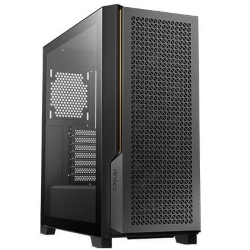
CAD COMPUTERS · 1080P HIGH REFRESH
BLACK FRIDAY EARLY ACCESSYou save $975 · ends Mon 30 Nov, 11:59pm
A CAD workstation built for design and engineering: Intel Core Ultra 7 270K Plus, 32GB DDR5, a 1TB Kingston Gen 4 SSD, ASUS 240mm liquid cooling and four-monitor support, with professional NVIDIA RTX PRO Blackwell graphics available up to the 32GB RTX PRO 4500.
Exactly what goes into this build.
Every component, and why we chose it. Tap a part for the details.
 CPU
Intel® Core™ Ultra 7 Processor 270K Plus 36M Cache, up to 5.50 GHz
 MOTHERBOARD
ASUS TUF Gaming Motherboard
 SSD
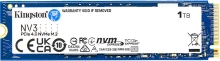
1TB Kingston Gen 4 NVMe M.2 SSD
 GRAPHICS CARD – NVIDIA GEFORCE RTX 5060 TI
16GB NVIDIA GeForce RTX 5060 Ti Graphics Card (upgrade option)
GRAPHICS CARD – NVIDIA GEFORCE RTX 5070 TI
16GB NVIDIA RTX 5070 Ti (upgrade option)
 OPERATING SYSTEM
Microsoft Windows 11 Home 64 Bit
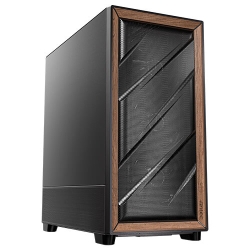 CASE – WOOD FACE (OPTIONAL)
Optional wood face case with a walnut and metal mesh front panel, a warm, understated look that suits a home office.
 POWER SUPPLY
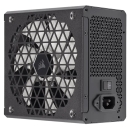
750 Watt Power Supply Unit
 NETWORK
Intel / Realtek 2.5Gb Ethernet
 AUDIO
k 7.1 Surround Sound
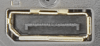 DISPLAYPORT (DP)
3 x DisplayPort (DP)
 CPU
Intel® Core™ Ultra 9 Processor 285 – 36M Cache, up to 5.60 GHz
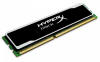 RAM
32GB DDR5 Dual Channel Gaming RAM with Heatsink
GRAPHICS CARD – NVIDIA GEFORCE RTX 5060
8GB NVIDIA GeForce RTX 5060 Graphics Card
GRAPHICS CARD – NVIDIA GEFORCE RTX 5070
12GB NVIDIA RTX 5070 (upgrade option)
GRAPHICS CARD – NVIDIA GEFORCE RTX 5080
16GB NVIDIA GeForce RTX 5080 (upgrade option)
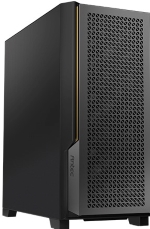 PROFESSIONAL CASE
Professional Case
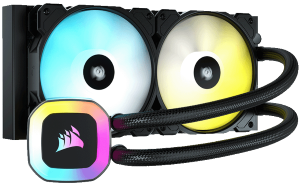 LIQUID COOLING
ASUS 240mm Liquid Cooling for CPU
 WI-FI
Wi-Fi and Bluetooth
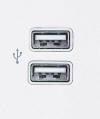 USB PORTS
Rear USB – 8 Ports Front USB – 3 Ports
 HDMI PORT
1 x HDMI
 MULTI MONITOR SUPPORT
Yes, support for up-to 4 monitors
This CAD workstation is designed for architects, engineers, drafters and product designers who spend their day in AutoCAD, Revit, SolidWorks, Inventor, Fusion, ArchiCAD or SketchUp. It runs an Intel Core Ultra 7 270K Plus with speeds up to 5.5GHz, 32GB of DDR5 and a fast 1TB Kingston Gen 4 SSD, and you can choose anything from a GeForce RTX 5060 to a professional 32GB NVIDIA RTX PRO 4500 Blackwell.
It is quiet, reliable and easy to expand, and every system is built and tested in Melbourne from $3,899.
Most CAD work is surprisingly dependent on a single fast processor core. Modelling, rebuilding features, regenerating drawings and many everyday operations in AutoCAD, Revit and SolidWorks use one or two cores at a time, so clock speed matters more than core count. Rendering, simulation and exports, on the other hand, use every core you have. A good CAD workstation needs both, plus a graphics card that keeps large models smooth in the viewport and enough memory for big assemblies and projects.
The Intel Core Ultra 7 270K Plus is a strong fit. It boosts up to 5.5GHz for snappy modelling and has a large 36MB cache, with plenty of cores for rendering and multitasking.
The standard 8GB GeForce RTX 5060 is a capable choice for AutoCAD, SketchUp, Fusion and 2D drafting, and it handles moderate 3D models well. For larger projects and professional applications, we recommend NVIDIA's RTX PRO Blackwell cards: the 16GB RTX PRO 2000, the 24GB RTX PRO 4000 or the 32GB RTX PRO 4500. They are certified by major software vendors, use drivers tuned for stability, and their extra memory lets you work with very large assemblies, point clouds and detailed BIM models.
If you also render in V-Ray, Enscape, Twinmotion or Lumion, a 16GB RTX 5070 Ti or RTX 5080 is a strong alternative with excellent real-time rendering speed.
SolidWorks officially certifies professional graphics cards, and some features, like RealView graphics, work best with them. That is why, as a SolidWorks workstation, we suggest one of the RTX PRO Blackwell options. Combined with the processor's high clock speed and 32GB of DDR5, rebuilds are quick and large assemblies rotate smoothly. If you work with big assemblies or run simulations, upgrade to 64GB or more.
Revit and other BIM tools use lots of memory on large models, and they benefit from fast storage and a fast single core. As a Revit workstation, we recommend 64GB of RAM for medium to large projects, a professional graphics card for big federated models, and a second SSD for local project files. Enscape, Twinmotion and Lumion all run on the same machine for client presentations.
The standard 1TB Kingston PCIe Gen 4 NVMe SSD keeps Windows and your software fast. You can choose a 1TB Gen 5 drive, 2TB drives or a 2TB Samsung 9100 Pro as the main SSD, add second and third NVMe SSDs of up to 4TB each, and fit a 2TB or 4TB hard drive for archives. Memory can be upgraded to 64GB, 96GB or 128GB of DDR5.
The ASUS TUF Gaming motherboard provides Wi-Fi with Bluetooth, 2.5Gb Ethernet for fast access to network drives, 7.1 surround sound, eight rear and three front USB ports, and one HDMI plus three DisplayPort outputs for up to four monitors. An ASUS 240mm liquid cooler keeps it quiet, and a 750W 80+ power supply is standard, with 850W and 1000W 80+ Gold options for the larger graphics cards.
For heavier rendering and simulation, you can upgrade to the Intel Core Ultra 9 285 or Core Ultra 9 285K, with a 360mm liquid cooler to match. The professional case has no RGB lights, and a wood face case with a walnut front panel is also available. Windows 11 Professional is recommended for business use, and Microsoft Office, Trend Micro Internet Security and accessories can be added. Choose them above, or email us your spec and tell us which software you use.
For most architects, engineers and designers working on single machines, we think it is the best CAD workstation in our range for the money. If your work is mostly 2D drafting and you are on a tighter budget, see our CAD PC. If you need more cores for rendering, compare our Core Ultra 9 system, or browse our CAD range.
For more about the processor family, see Intel's Intel Core Ultra Series 2 page.
Every CAD workstation is assembled by hand in our Melbourne workshop, with the DDR5 memory profile enabled and the right drivers installed for your graphics card. We stress test it under full load, then pack it securely for delivery anywhere in Australia. If you need help setting up your software, our team is just an email away.
A fast processor with high clock speeds for modelling, enough cores for rendering, a capable graphics card with plenty of video memory, and at least 32GB of RAM. This system is built around all four.
Not always. A GeForce card works well for AutoCAD, SketchUp and Fusion. For SolidWorks, large Revit models and certified workflows, an RTX PRO Blackwell card is the safer choice.
Yes, especially with an RTX PRO 2000, RTX PRO 4000 or RTX PRO 4500 Blackwell card, which are certified for SolidWorks and support features like RealView.
32GB is fine for small projects. We recommend 64GB for medium to large models and 96GB or 128GB for very large federated projects.
Up to four, using one HDMI and three DisplayPort outputs.
Each PC is built to order in Melbourne and tested before dispatch. Once it ships, delivery usually takes 1–3 working days Australia-wide.
06 // DELIVERY & WARRANTY
GAMING COMPUTERS
Intel i5-14400F + RTX 5050
$1,949 $2,599
OFFICE COMPUTERS
Intel Core Ultra 7 265, Quiet and Compact
$2,249 $2,999
TRADING COMPUTERS
i7-14700F, 4 Monitor Ready
$2,249 $2,999