A refurbished gaming PC can be a smart way to get more performance for less money. So can a second hand one from a private seller. Both can also go badly wrong, and the difference usually comes down to what you check before you hand over the cash.
We should be upfront: we only sell new computers. But we also repair and upgrade a lot of older machines, so we see what happens after a used purchase, good and bad. This is the checklist we’d want a friend to follow.
Refurbished, second hand and used: what’s the difference?
- Refurbished: a business has inspected, cleaned, tested and, where needed, repaired the computer before reselling it. A proper refurbished gaming PC usually comes with some form of warranty.
- Second hand or used: sold as it is, often by a private person through a marketplace site. Cheaper, but there’s no warranty and no one checking it before you do.
The word “refurbished” isn’t strictly defined, so ask exactly what was done. Replaced thermal paste and a new SSD is very different from “wiped and turned on”.
Your rights are different
This is the part most people don’t know. In Australia, the consumer guarantees still apply to second hand goods bought from a business, with allowances for the item’s age, price and condition. If a refurbished gaming PC from a shop fails soon after you buy it, you may be entitled to a repair, replacement or refund. The ACCC explains how that works on its page about repair, replace, refund or cancel.
A private sale is different. Buy a used gaming PC from an individual and the consumer guarantees generally don’t apply. If it dies a week later, your options are limited. That’s why the checks below matter so much more for private sales.
10 checks before buying a second hand gaming PC
1. Get the exact spec in writing
“RTX graphics, 16GB, SSD” isn’t a spec. Ask for the exact processor, graphics card, memory, storage, motherboard and power supply models. A seller who can’t or won’t tell you is a seller to walk away from.
2. Check the spec yourself
When you see it in person, open Task Manager and look at the Performance tab. It shows the processor, memory amount and graphics card. Free tools like CPU-Z and GPU-Z confirm the details in a minute.
3. See it running a game
Ask the seller to have a demanding game installed, or bring a USB stick with a free benchmark. Let it run for at least ten minutes. Crashes, black screens or stuttering under load are red flags that won’t show on the desktop.
4. Watch the temperatures
While it’s under load, check the processor and graphics card temperatures. Very high temperatures, or fans screaming at full speed, suggest dried-out thermal paste, blocked airflow or a failing cooler.
5. Look inside
Ask to take the side panel off. A little dust is normal. Thick, matted dust, nicotine staining, corrosion or missing screws tell you how the machine has been treated.
6. Check the power supply
The power supply is the part most likely to be cheap in a used gaming PC, and the one that can take other parts with it if it fails. Look for a known brand and check it’s rated for the graphics card inside.
7. Check the drive health
A free tool such as CrystalDiskInfo shows the health of the SSD or hard drive and how much data has been written to it. A drive at “Caution” means you’re budgeting for a replacement.
8. Confirm Windows is genuine and supported
Go to Settings, System, Activation and check Windows is activated. Also check it’s running Windows 11. Microsoft ended support for Windows 10 in October 2025, and older processors don’t officially support Windows 11, which matters for security updates.
9. Ask about warranty transfer and receipts
Some parts still have manufacturer warranty left, and some brands honour it for second owners. The original receipts make that much easier, and they’re a good sign the computer isn’t stolen.
10. Pay safely
Inspect in person, in a safe place, and pay when you collect. Be very wary of sellers who want a bank transfer or deposit before you’ve seen the machine. Marketplace scams around computers and graphics cards are common.
Is a refurbished gaming PC actually cheaper?
Sometimes much cheaper, sometimes barely. With new memory and graphics card prices up over the past year, used prices have held up better than they normally would. Do the sums against a new system: price up what it would cost to replace the oldest or weakest parts, add a new SSD if the drive is worn, and compare the total.
A second hand gaming PC that’s three or four years old will also use more power for the same performance and may have a shorter road ahead for upgrades. None of that rules it out. It just means the headline price isn’t the full story.
There’s also your time to consider. Checking a used gaming PC properly means travelling to see it, testing it for half an hour and sometimes walking away and starting again. If you’re short on time, a refurbished gaming PC from a reputable business, or a new machine, saves a lot of running around.
When new makes more sense
- You want peace of mind. A new machine with a multi-year warranty and one place to call takes the guesswork out.
- You want to upgrade later. Current platforms leave room for newer processors and faster memory.
- The used price is close to new. If the gap is only a few hundred dollars, the warranty alone is worth it.
- You need it to just work. For a student or a gift, a tested, warrantied system avoids a lot of stress.
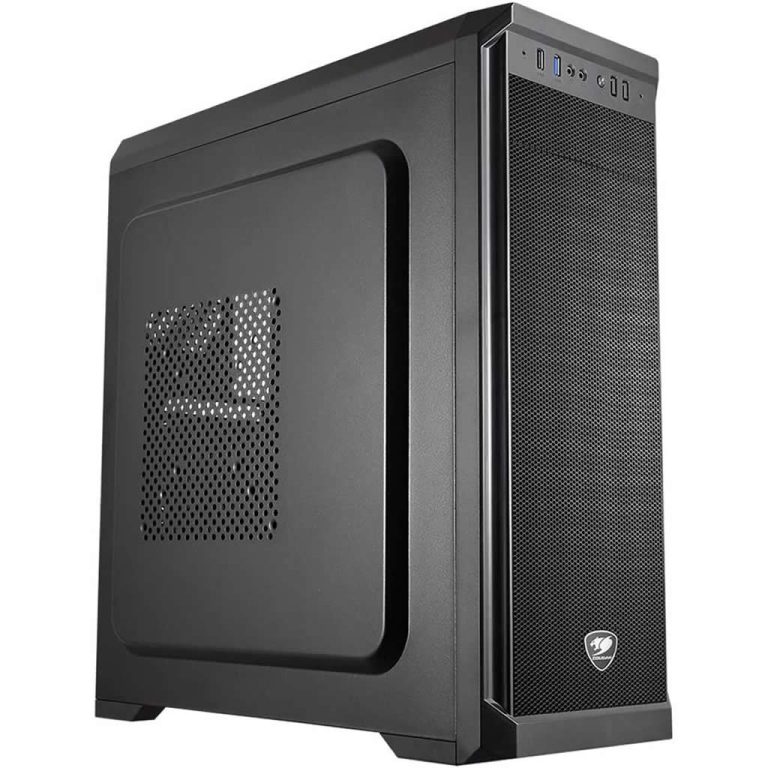
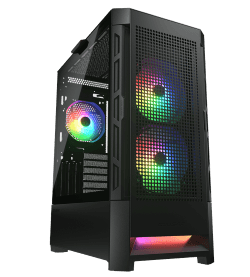
If you’re weighing up options, our guide to building your own PC or having one built is worth a read too. And if new does make more sense, these are our most affordable systems. Each is built and tested in Melbourne and covered by a 3-year warranty, and there are more in our prebuilt gaming PCs:
Used gaming PC questions
What’s a fair price for a used gaming PC?
Look up what each main part sells for second hand, add them up, and knock off a bit for the risk. If the asking price is close to a comparable new machine, the new one is usually the better deal.
Is a refurbished gaming PC from a business safer than a private sale?
Generally, yes. You get consumer guarantee protection and usually a warranty, and a business has a reputation to protect.
Should I avoid ex-mining graphics cards?
Not automatically. Many were well looked after. But they’ve worked hard, so check temperatures and fan noise closely, and price in the risk.
What’s the biggest mistake with a second hand gaming PC?
Buying without seeing it run a game. A computer that looks fine on the desktop can still crash the moment it’s under load.
How old is too old?
As a rough guide, be cautious with anything more than five or six years old. Older systems may not run Windows 11 officially, and replacement parts get harder to find.
Can I upgrade a used gaming PC later?
Usually, if it uses standard parts. Check the motherboard’s socket and the power supply’s wattage first, because those decide how far you can go.