What is DLSS? It’s NVIDIA’s AI-powered technology for making games run faster while still looking sharp. Instead of drawing every pixel of every frame the hard way, your graphics card draws fewer and lets a trained AI model fill in the rest. Switch it on in a demanding game and frame rates can jump dramatically, often with image quality that’s hard to tell apart from native resolution.
It has grown a lot since it first appeared, and the version numbers can be confusing. Here’s how it works, what each generation added and how to get the best from it.
DLSS in one sentence
DLSS stands for Deep Learning Super Sampling: the game renders at a lower resolution, and AI running on your graphics card’s Tensor cores rebuilds a high-resolution image, using information from previous frames to fill in detail. It needs an NVIDIA RTX graphics card, because those AI cores are what make it work.
Part one: Super Resolution (upscaling)
This is the original idea, and still the part most people use. You choose a mode, and the game renders internally at a lower resolution before the AI upscales it:
- Quality: the smallest drop in internal resolution. Looks close to native.
- Balanced: a good middle ground.
- Performance: renders at half the output resolution on each axis. Big gains, especially at 4K.
- Ultra Performance: for 8K or very weak hardware. Noticeably softer.
- DLAA: no upscaling at all, just DLSS’s AI used as high-quality anti-aliasing at native resolution.
At 4K, even Performance mode often looks excellent with recent models. At 1080p, there are fewer pixels to work from, so Quality mode is the best choice.
Part two: frame generation
Frame generation goes a step further. Rather than just upscaling each frame, the AI creates entirely new frames between the ones your graphics card renders. With one generated frame for every rendered one, the frame rate on screen roughly doubles.
The trade-off is input latency. Generated frames make motion look smoother, but they don’t make the game respond faster to your mouse, and the technique adds a small delay. NVIDIA pairs it with Reflex to keep that delay in check. As a rule of thumb, frame generation works best when the game already runs at around 60 frames per second or more before it’s switched on. It’s brilliant for single-player games on high refresh rate screens, and less suited to competitive shooters where every millisecond counts.
What’s changed: DLSS 4, 4.5 and 5
DLSS 4
DLSS 4 launched alongside the RTX 50 series in early 2025 and brought two big changes. Multi Frame Generation, exclusive to RTX 50 cards, generates up to three frames for every rendered one, so frame rates can multiply by up to four times. And a new “transformer” AI model improved image quality for upscaling on every RTX card, with sharper detail and less smearing in motion.
DLSS 4.5
Announced at CES in January 2026, DLSS 4.5 introduced a second-generation transformer model for Super Resolution, available on all RTX cards. For RTX 50 owners, it added a 6x Multi Frame Generation mode and Dynamic Multi Frame Generation, which automatically adjusts how many frames are generated to match your monitor’s refresh rate. NVIDIA’s DLSS 4.5 announcement has the details and supported games.
DLSS 5
DLSS 5 is a different kind of step. Rather than upscaling or adding frames, it uses a neural rendering model to enhance lighting and materials in real time, aiming for a more photorealistic look. NVIDIA unveiled it in March 2026 and it began rolling out in games in September 2026 for RTX 50 series cards. Support is still limited to a handful of titles, but it shows where things are heading.
Why upscaling and ray tracing go together
Ray tracing and path tracing simulate how light really behaves, with lifelike reflections, shadows and bounce lighting. They look stunning, and they’re extremely demanding. Running a path-traced game at native 4K would bring even the fastest card to its knees. Upscaling is what makes these effects playable: the card traces rays at a lower resolution, and the AI reconstructs a sharp final image. NVIDIA also uses AI to clean up the noisy lighting that ray tracing produces, a feature called Ray Reconstruction, which noticeably improves reflections and fine detail.
Which RTX cards get which features?
| Feature | RTX 20 and 30 | RTX 40 | RTX 50 |
|---|---|---|---|
| Super Resolution and DLAA | Yes | Yes | Yes |
| Generated frames (2x) | No | Yes | Yes |
| Multi-frame mode (up to 4x, then 6x) | No | No | Yes |
| DLSS 5 neural rendering | No | No | Yes |
How to use DLSS well
- Turn on upscaling first. Start with Quality mode and check how it looks.
- Add generated frames if your base frame rate is decent. Around 60 frames per second or more gives the best result.
- Keep Reflex on. It reduces input lag, especially with generated frames.
- Use the NVIDIA app. Its override settings can apply the latest DLSS model to supported games that shipped with older versions.
- Match your monitor. Generated frames shine on high refresh rate screens. Our guide on how to choose a gaming monitor covers refresh rates.
Does it work in every game?
No. Developers have to add support, though it’s now standard in most big releases and hundreds of existing titles. Check a game’s graphics settings for an upscaling or “super resolution” option. The NVIDIA app lists supported games and lets you apply newer models to many of them. Older or smaller games without support can still run well on a modern card, they just won’t get the extra boost.
What about AMD and Intel?
AMD has FSR and Intel has XeSS, both doing similar jobs. AMD’s latest FSR versions also use machine learning on its newest graphics cards, and the gap in quality has narrowed. Many games support all three, so you can try each and pick what looks best on your system.
Is DLSS “fake frames”?
It’s a common complaint, and fair in one sense: generated frames aren’t drawn the traditional way, and they don’t reduce latency. But upscaling in particular is now so good that many players use it everywhere, and it lets mid-range cards play at settings that would otherwise be out of reach. The honest answer is to judge by what you see and feel in your own games.
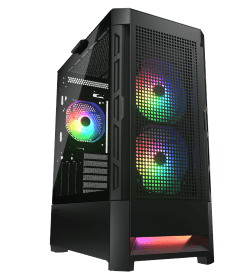
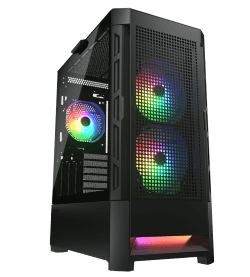
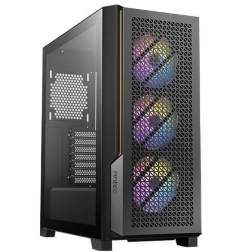
So, what is DLSS really worth? For most RTX owners, it’s free performance. These systems all use RTX 50 cards with full DLSS 4.5 support, and there are more in our gaming computers:
DLSS questions
What is DLSS used for?
To raise frame rates in demanding games, especially with ray tracing on or at high resolutions, without a big loss in image quality.
Does DLSS 4 work on RTX 30 cards?
The improved upscaling model does. Frame generation needs RTX 40 or newer, and Multi Frame Generation needs RTX 50.
Does frame generation add input lag?
A little. Reflex reduces it, and it’s least noticeable when the base frame rate is already high.
Does it make games look worse?
At Quality mode on a 1440p or 4K screen, most people can’t tell the difference in normal play. Lower modes trade some sharpness for speed.
Should I use DLSS in competitive games?
Upscaling, yes, if it helps you hit high frame rates. Generated frames, usually not, because responsiveness matters more than smoothness there.