
What is a CPU cache? It’s a small amount of extremely fast memory built right into your processor. The CPU keeps the data it’s using most often there, so it doesn’t have to wait for your much slower main memory. It’s one of the least talked-about specs on a processor, and one of the most important for gaming.
It’s also the reason AMD’s X3D processors, like the Ryzen 7 9850X3D, top almost every gaming benchmark. To see why, it helps to understand what cache actually does.
A simple way to picture it
Imagine you’re doing your tax return. The papers you’re working on right now are on your desk. The folders you’ll need soon are in the filing cabinet beside you. Everything else is in boxes in the garage.
The desk is fast but small. The cabinet holds more but takes a moment to reach. The garage holds everything but means a walk every time. A processor works the same way. Its cache is the desk and filing cabinet. Your RAM is the garage. And every trip to the garage, even though it only takes a fraction of a microsecond, is time the processor spends waiting instead of working.
L1, L2 and L3: the three levels
Modern processors have three levels of cache, each larger and slightly slower than the last.
| Level | Typical size | Where it lives | Speed |
|---|---|---|---|
| L1 | Tens of KB per core | Inside each core | Fastest, a few clock cycles |
| L2 | 1MB to 3MB per core | Next to each core | Very fast |
| L3 | 32MB to 96MB or more | Shared by all cores | Fast, still far quicker than RAM |
L1 holds the instructions and data a core is using right this instant. L2 is a slightly bigger backup for each core. L3 cache is a large pool shared by every core on the chip, and it’s the level that matters most for gaming, because it’s the last stop before the processor has to go out to RAM.
The CPU cache article on Wikipedia goes deep on the engineering if you’re curious, including how the chip decides what to keep and what to throw out.
Hits and misses
When the processor finds what it needs in cache, that’s a “hit”. When it doesn’t, it’s a “miss”, and it has to fetch the data from RAM. A miss can cost hundreds of clock cycles, which is an eternity at five billion cycles a second.
Processors are very good at predicting what they’ll need next and loading it into cache ahead of time. Simple, predictable work, like encoding a video, gets a high hit rate. Messy, unpredictable work gets more misses. And games, as it turns out, are about as messy as it gets.
Why games love L3 cache
A game has to track an enormous amount of changing information every frame: where every character is, what the physics engine is doing, what the AI wants, what’s on screen and what’s about to be. That data jumps around unpredictably as you play.
With a bigger L3 cache, more of that working set fits on the chip. Fewer trips to RAM means the processor spends less time waiting, so it can hand frames to the graphics card faster and more consistently. The biggest improvement often isn’t the average frame rate but the “1% lows”, the occasional slow frames you feel as stutter.
That’s why two processors with similar core counts and clock speeds can perform very differently in games. Cache is the hidden spec that explains the gap.
What makes X3D processors different
AMD’s X3D chips use a technique called 3D V-Cache: an extra slice of cache is stacked directly on the processor die, adding 64MB of L3. A Ryzen 7 9800X3D or 9850X3D has 96MB of L3 cache in total, three times as much as a standard Ryzen 7 9700X.
Early X3D chips put the extra cache on top of the cores, which trapped heat and meant lower clock speeds. In the current Ryzen 9000X3D generation, AMD moved the cache underneath, so the cores sit closer to the cooler. That’s why these chips can now run at higher speeds and even be overclocked.
The result is the fastest gaming processors you can buy. In many games the 8-core X3D chips beat processors with twice as many cores, simply because they spend less time waiting for data.
Where extra cache doesn’t help as much
Not everything benefits. Rendering, video encoding and other heavily multi-threaded jobs care more about core count and clock speed. For those workloads, a chip with more cores and less cache can be the better pick. X3D processors are excellent all-rounders, but their real superpower is gaming.
What about Intel?
Intel’s current desktop processors use more modest L3 cache, typically around 30MB to 36MB on the higher-end chips, along with large L2 caches per core. They make up for it with high clock speeds and lots of cores, which is why they’re strong in productivity software. Intel’s next generation of desktop chips is reported to add a much larger cache option of its own, which tells you how much the industry now values cache for gaming.
How to check your CPU cache
Open Task Manager, go to the Performance tab and click CPU. Under the graph you’ll see your processor’s L1, L2 and L3 cache sizes. A free tool like CPU-Z shows the same details along with your exact processor model.
You can’t add cache to a processor later. It’s built into the chip, so if gaming performance matters to you, it’s worth paying attention to when you choose a CPU or a complete system. If you’re putting together your own machine, our guide on building a PC or having one built covers the rest of the decision.
Picking a processor with cache in mind
For a gaming-first machine, an X3D processor is the easy recommendation. For a mixed workload of gaming plus heavy rendering, a high-core-count chip may suit you better. For everyday use and lighter games, cache size makes little noticeable difference.
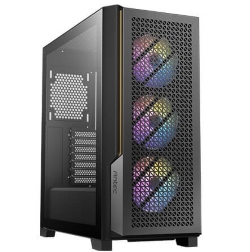
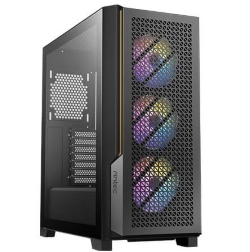
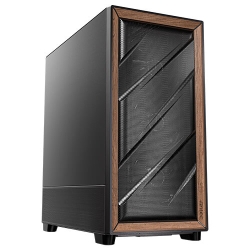
All three of these systems use the Ryzen 7 9850X3D with 96MB of L3 cache. You’ll find other options in our gaming computers:
CPU cache: quick answers
What is a CPU cache used for?
It stores data and instructions the processor is likely to need again soon, so it doesn’t have to wait for slower main memory.
Is more L3 cache always better?
For gaming, usually yes. For heavily threaded work like rendering, core count and clock speed often matter more.
What’s the difference between cache and RAM?
Cache is tiny, inside the processor and extremely fast. RAM is much larger, sits on the motherboard and is far slower to reach. Both matter, but in different ways.
Can a CPU cache be cleared?
It manages itself constantly, swapping data in and out billions of times a second. There’s nothing for you to clear or adjust.
Do laptop processors have less cache?
Usually, yes. Laptop chips trade some cache and clock speed for lower power use and less heat. Desktop processors, especially X3D models, carry the most L3 cache of any consumer chips, and even a few percent more cache hits can make a noticeable difference in games.
Is a bigger CPU cache worth paying extra for?
If you mainly play games, an X3D processor is one of the best-value upgrades you can make, because it lifts the frame rates you feel, not just the averages.