A good home office setup makes a bigger difference to your working day than most people expect. The kitchen table works for a week. After that, a sore back, a dim webcam picture and a laptop balanced on a pile of books start to wear thin. With a bit of planning, a corner of a spare room can be somewhere you’re genuinely happy to spend eight hours.
Here’s how to put a home office setup together, from the desk up, with ideas for different budgets and spaces.
Pick the right spot for your home office setup
If you can, choose a space with a door. Being able to close off work at the end of the day helps more than any gadget. Natural light is great, but position the desk side-on to the window rather than facing it or with it behind you, so you don’t squint into daylight or get glare on the screen.
Think about noise and internet too. A room near the router means a stronger connection, and a room away from the TV means fewer interruptions on calls.
The desk and chair
Aim for a desk at least 120cm wide and 70cm deep, so there’s room for a monitor at a comfortable distance plus space to write. Standard desk height suits most people, but if you’re shorter or taller than average, an adjustable or sit-stand desk is worth considering. Alternating between sitting and standing through the day helps a lot of people with back and neck stiffness.
Spend properly on the chair. Look for adjustable seat height, lower-back support, adjustable armrests and a seat depth that leaves a little gap behind your knees. Set it so your feet are flat, your thighs roughly level and your elbows at about desk height.
Screens: one big or two good ones
Working on a laptop screen all day is hard on your neck. At minimum, raise the laptop on a stand and use a separate keyboard and mouse. Better still, add a monitor. A 27-inch 1440p screen gives plenty of room for documents side by side.
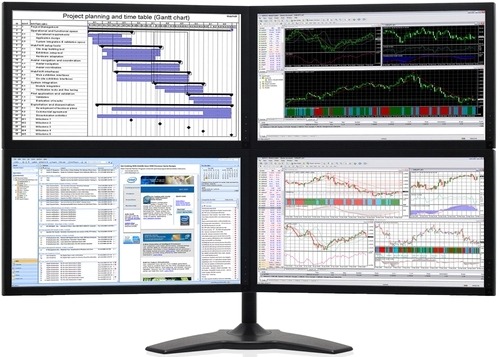
Two screens are even better for many jobs: email and chat on one, the main task on the other. Our dual monitor setup guide covers how to connect and arrange them. Keep the top of each screen at or just below eye level, about an arm’s length away.
Lighting for long days
Good lighting is the most overlooked part of any home office setup. Overhead lights alone often leave the desk dim and the screen too bright by comparison. Add a desk lamp with a warm, adjustable light for paperwork, and consider a small light behind the monitor to reduce eye strain in the evening. Avoid working with a bright window directly behind the screen.
Look and sound good on video calls
- Camera at eye level. A laptop camera looking up your nose isn’t a great look. Raise the laptop or use a webcam on top of the monitor.
- Light in front of you. Face a window or a lamp, not away from one.
- A headset or USB microphone. Built-in laptop mics pick up keyboard noise and echo. Even a basic headset is a big step up.
- Soften the room. Rugs, curtains and a bookshelf reduce echo noticeably.
Internet that doesn’t drop out
For video calls and large uploads, a wired Ethernet connection is the most reliable option. If running a cable isn’t practical, a mesh Wi-Fi system can fix dead zones in bigger homes. Keep your phone’s hotspot in mind as a backup for when the internet goes down mid-meeting.
The computer at the heart of your home office setup
For most office work, you don’t need a powerful machine, but you do need a responsive one. The things that matter most:
- An SSD, so it starts and opens programs quickly.
- 16GB of memory, or 32GB if you work with large spreadsheets, many browser tabs or creative apps.
- A modern processor, so video calls with blurred backgrounds and screen sharing stay smooth.
- Enough video outputs for the screens you want to run.
- Quiet cooling, because a whirring fan on every call gets old fast.
A desktop gives you more performance, more ports and quieter running for the money than a laptop, and it’s easier to upgrade. If your current machine is struggling, our guide Why is my computer so slow? might help before you replace it.
Protect your work
A home office setup is only as reliable as its backups. Plug the PC and monitors into a surge-protected power board. Back up important files automatically, ideally both to the cloud and to an external drive. Keep Windows and your apps updated, use multi-factor authentication on work accounts, and if possible keep work and personal accounts separate on the computer.
Small-space home office setup ideas
No spare room? A home office setup can still work in a corner of the bedroom or living room. A narrow desk around 100cm wide, a monitor on an arm and a compact desktop tucked underneath take up surprisingly little space. Wall shelves keep paperwork off the desk, and a bookshelf used as a divider helps separate work from home at the end of the day. A few small-space home office setup ideas go a long way.
Home office setup ideas for any budget
- Under $300: laptop stand, external keyboard and mouse, a desk lamp and a basic headset.
- $300 to $1,000: a good chair, a 27-inch monitor and a monitor arm.
- $1,000 and up: a sit-stand desk, a second monitor, a quality webcam and microphone, and a quiet desktop PC.
These home office setup ideas are in order of impact. Comfort first, then screens, then everything else.
What makes the best home office setup?
The best home office setup is one you don’t notice. Your back doesn’t ache, your calls sound clear, your computer keeps up and you can close the door at the end of the day. Get the chair, screen height and lighting right, and the rest is detail.
If you work from home, the ATO lets you claim some running costs. Its page on working from home expenses explains the methods and the records you need to keep. Speak to your tax agent about your own situation.
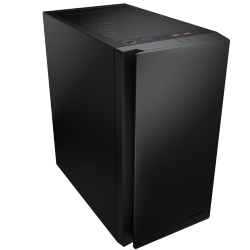
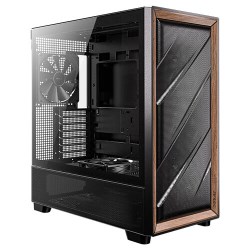
Many people set up their space the same way they’d set up a gaming corner. Our gaming setup guide has more on desks and cable management. And if it’s time for a new computer, these quiet systems suit a home office well, with more in our office computers:
Home office questions
What’s the most important part of a home office setup?
The chair, followed closely by screen height. Both affect how you feel at the end of every day.
How much does a home office setup cost?
A comfortable basic setup can be done for a few hundred dollars if you already have a computer. A complete one with a good chair, monitor and desk typically runs from $1,000 to $3,000.
Is a standing desk worth it?
For many people, yes, as long as you alternate. Standing all day isn’t better than sitting all day. Movement is what helps.
Laptop or desktop for working from home?
A desktop is usually better value, quieter and more comfortable to use all day. A laptop makes sense if you also work in the office or travel.
How do I reduce echo on calls?
Add soft surfaces: a rug, curtains, a couch or bookshelves. A headset microphone also picks up far less room echo.