A good gaming setup isn’t about the most expensive gear. It’s about a space where you can play for three hours without a sore neck, find your headset in the dark and not trip over a power board on the way to bed. The PC matters, of course, but the desk, chair, screen and lighting around it decide how much you actually enjoy using it.
Quick answer: start with a deep, stable desk and a chair that fits you, put the top of the monitor at or just below eye level, and keep the PC where air can reach it. Then add lighting and sound. Spend on the things you touch every day before the things you look at.
We build gaming PCs for a living, and we see plenty of photos of where they end up. The setups people love tend to share a few habits. Here they are, from the floor up.
Start with the room, not the shopping list
Before you buy anything for your gaming setup, stand where the desk will go and look around. Where’s the window? Afternoon sun across a screen is miserable, and a window directly behind you will reflect in a glossy monitor. Where are the power points? Running one extension lead across a doorway is how cables end up chewed by the dog.
Think about noise too. If you game late and share walls, a corner away from the bedrooms makes headphones optional instead of compulsory. And check the internet. A wired connection is still the most reliable option for online play, so a spot near the router, or a run of Ethernet cable, is worth planning for now.
The desk: depth matters more than width
Most people buy a desk that’s too shallow. At 60cm deep, a 27-inch monitor ends up close to your face and the keyboard hangs off the edge. Aim for 70 to 80cm of depth if you can. Width is easier: 140cm fits a monitor, a mouse with room to swing and a few odds and ends.
Stability is the other thing. A wobbly desk makes the monitor shake every time you flick the mouse. Sit-stand desks are great for long sessions, but test how much they sway at standing height before you commit.
Your chair and how you sit
Racing-style gaming chairs look the part, but plenty of people are more comfortable in a decent office chair with good lower-back support and adjustable arms. Whatever you pick, set it up so your feet are flat on the floor, your knees sit roughly level with your hips and your forearms rest on the desk without hunching your shoulders.
Healthdirect’s guide to good posture covers the basics well, including back support and the value of getting up regularly. A timer that nudges you to stretch every hour does more for your back than any chair upgrade.
Where the PC should live in a gaming PC setup
Desktop PCs pull cool air in and push warm air out, usually at the front and back. Jam the case into a closed cupboard or hard against a wall and it’ll run hotter and louder. Leave at least 10cm of space behind and beside it.
On the desk or under it? On the desk keeps it away from carpet dust and shows off the lighting, but it eats space. Under the desk is tidier, so raise it on a small stand or a flat board if you’re on carpet. In any gaming PC setup, the bottom dust filter is the one that clogs fastest, so make sure you can reach it.
Monitor height, distance and size
The top of the screen should sit at or just below your eye line, about an arm’s length away. Most monitor stands don’t go high enough, which is why a monitor arm is one of the best upgrades you can make. It also frees up the desk underneath.
Size depends on distance. At a normal desk depth, 24 to 27 inches works well for 1080p and 1440p, while 32 inches suits 4K. Refresh rate matters as much as size: a 144Hz or faster panel makes motion noticeably smoother, as long as your graphics card can keep up.
Sound: headset, speakers or both
A wired headset with a decent microphone is the simplest fix for both team chat and late-night play. If you prefer speakers, put them at ear height either side of the monitor, angled at your head rather than straight out. A small foam pad under each one cuts the rattle on hollow-core desks.
If you stream or record, a separate USB microphone on an arm sounds far better than any headset mic. Add a pop filter and keep the arm out of the way of your hands.
Lighting that’s easy on your eyes
A gaming setup in a dark room with one bright screen is hard work for your eyes. A soft light behind the monitor, called bias lighting, reduces the contrast between screen and wall and makes long sessions more comfortable. An LED strip on the back of the monitor does the job for not much money.
RGB lighting is where a PC gaming setup gets its personality. Keep the colours consistent across the case, keyboard and strip lights and it looks deliberate rather than busy. Most lighting software lets you sync everything, or switch it all off at night.
Cable management without the headache
Cables are the part of a gaming setup most people leave until last. You don’t need a perfect run, just a tidy one. A cable tray screwed under the back of the desk holds the power board and spare length. Velcro ties beat zip ties because you can undo them when you add something. Label the plugs on the power board with a bit of masking tape and future you will be grateful.
Use a surge-protected power board for the PC and monitor. It’s cheap insurance during summer storms.
Gaming setup ideas for different budgets
Not every upgrade costs the same, and the order you do them in matters. These gaming setup ideas are roughly in order of value:
- Under $200: a large desk mat, a monitor arm, bias lighting, Velcro ties and a cable tray. Small spend, big difference.
- $200 to $800: a good chair, a wired headset or a pair of bookshelf speakers, and a mechanical keyboard if you type a lot.
- $800 and up: a high refresh rate monitor, a sit-stand desk, or a better graphics card if your frame rates are holding the screen back.
The best order for most people is comfort first, then the screen, then everything else. A beautiful room is wasted if your back hurts after an hour.
What makes the best gaming setup?
Honestly, the best gaming setup is the one built around how you play. A competitive shooter player wants a fast screen, a big mouse pad and no distractions. Someone who plays slow strategy games for hours wants a great chair and a quiet PC. A streamer needs a second screen, good audio and some light on their face.
Work out which of those sounds like you and spend there first. Everything else can be upgraded over time, and usually is.
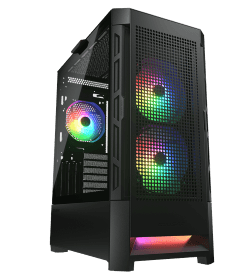
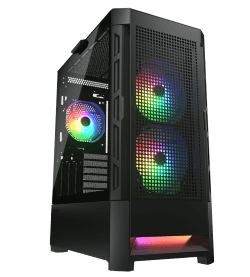
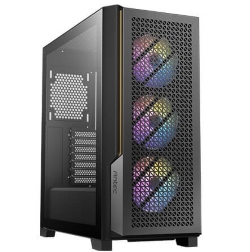
If your current PC is the weak link, our gaming computers are sorted by what they’re built for, from 1080p to 4K. A few that suit a new PC gaming setup:
Gaming setup: quick answers
How much does a good gaming setup cost?
Leaving the PC aside, a comfortable and tidy gaming setup can be put together for $500 to $1,500 with a decent chair, desk, headset and a few accessories. Monitors and desks are where the price climbs fastest.
Should my desk face a wall or a window?
A wall is usually better. Facing a window means squinting into daylight, while having it behind you causes reflections. Side-on to a window is the sweet spot.
Is a gaming chair better than an office chair?
Not necessarily. Choose whichever gives you proper lower-back support and adjustable arm height. Sit in it for ten minutes before you buy if you can.
What’s the cheapest upgrade that makes a real difference?
A monitor arm. Getting the screen to the right height fixes neck strain, and it clears space on the desk at the same time.
Do I need RGB lighting?
No, it’s purely about looks. If you like it, keep it to one or two colours so your PC gaming setup looks planned rather than chaotic.