DDR4 vs DDR5 used to be a real decision when building a PC. In 2026 it mostly isn’t, because every current desktop platform from both AMD and Intel uses DDR5. Still, if you’re upgrading an older machine, comparing used systems or just wondering what you’re paying for, it helps to know what changed and how much it actually matters.
Short answer: for a new PC, DDR5 is the only sensible choice, and it’s faster where it counts. For an existing DDR4 system, keep using DDR4. You can’t mix them, and switching means a new motherboard and usually a new processor too.
The difference between DDR4 and DDR5
Both are generations of the same kind of memory, the working RAM your processor uses. DDR5 arrived on desktops in late 2021 and brought several changes under the hood:
| DDR4 | DDR5 | |
|---|---|---|
| Typical speeds | 2133 to 3600MT/s | 4800 to 6400MT/s and beyond |
| Voltage | 1.2V | 1.1V |
| Channels per stick | One 64-bit channel | Two independent 32-bit channels |
| Power management | On the motherboard | On the memory stick itself |
| Largest common stick | 32GB | 64GB, plus 24GB and 48GB options |
| Platforms | AMD AM4, older Intel | AMD AM5, Intel 12th gen onwards, Core Ultra |
The headline is bandwidth. DDR5 moves far more data per second, and splitting each stick into two smaller channels helps the processor juggle lots of requests at once. That’s a big deal for modern chips with many cores all hungry for data.
The DDR5 SDRAM article on Wikipedia has the full technical detail if you’d like to go deeper.
What about latency?
You’ll often see DDR5 kits with bigger latency numbers, like CL30 or CL36, compared with CL16 on good DDR4. That looks worse, but those numbers are counted in clock cycles, and DDR5’s clock cycles are much shorter. In actual nanoseconds, good DDR5 has similar latency to good DDR4, while offering far more bandwidth. So the higher CL figure isn’t the step backwards it seems.
DDR4 vs DDR5 for gaming
In games, DDR5 is faster, but the size of the gain depends on the processor. With modern chips, DDR5 typically lifts frame rates by a modest but noticeable margin and improves the 1% lows, which is what you feel as smoothness. Games that stream lots of data, like big open worlds and simulators, benefit most.
AMD’s X3D chips are a special case. Their huge cache means they go to main memory less often, so they’re less sensitive to memory speed. They still run on DDR5, because AM5 requires it, but there’s little point paying a big premium for extremely fast kits.
DDR5 vs DDR4 for work and creative apps
This is where DDR5 shines. Video editing, 3D rendering, compiling code and large spreadsheets all move huge amounts of data, and DDR5’s extra bandwidth shortens the wait. Bigger sticks also make it practical to fit 64GB or 128GB into a desktop with just two or four slots, which matters for heavy creative work.
Can you mix or swap them?
No. DDR4 and DDR5 sticks have their notches in different places, so they physically won’t fit each other’s slots. Each motherboard supports one type. Some motherboards for Intel’s 12th to 14th generation chips came in DDR4 and DDR5 versions, so a 14th generation PC might use either. Check the motherboard model before you buy an upgrade.
If you have a DDR4 system you’re happy with, adding more DDR4 is the sensible upgrade. Moving to DDR5 means a new motherboard, and on AMD a new processor too, which is really a new PC.
How to tell which memory your PC uses
Not sure what’s in your computer? Open Task Manager, click Performance, then Memory. The speed shown is a good hint: around 2133 to 3600 usually means DDR4, while 4800 or higher means DDR5. For a definite answer, the free tool CPU-Z shows the memory type on its Memory tab, and its SPD tab lists each stick’s exact model. Knowing this before you shop avoids buying the wrong kit, which is the most common DDR4 vs DDR5 mistake we see.
Laptops are a different story
In laptops, memory often comes as smaller SO-DIMM sticks, or is soldered straight onto the board. Many thin laptops use LPDDR5 or LPDDR5X, a low-power cousin of desktop DDR5 RAM that can’t be upgraded at all. If you’re buying a laptop, get the capacity you’ll need for its whole life up front.
Is DDR5 RAM worth it?
For a new computer, yes, and it’s not really optional. Every current platform requires it. The questions worth asking are how much and how fast:
- Capacity: 32GB is the sweet spot for gaming and general use. 16GB works for budget builds. Creators should look at 64GB or more.
- Speed: DDR5-6000 is the sweet spot for most current processors. Faster kits exist, but the gains are small and the prices aren’t.
- Configuration: two sticks, not one, so the memory runs in dual channel.
DDR5 RAM has become expensive over the past year because of AI demand on memory supply. Our article on RAM prices in 2026 explains why, and how to avoid overspending.
Does DDR4 still make sense anywhere?
For upgrading an existing DDR4 machine, absolutely. For a budget second-hand PC, DDR4 systems can be good value. But for anything new, DDR4 ties you to older platforms with no upgrade path, and DDR4 prices have risen too as production winds down. The savings aren’t what they used to be. If you’re choosing a used gaming PC, a DDR4 machine is fine as long as the price reflects its age and the rest of the parts are sound.
DDR4 vs DDR5: the bottom line
Think of the DDR4 vs DDR5 question as already answered by your platform. New PC: DDR5, around 6000MT/s, in two matched sticks, with 32GB for most people. Existing DDR4 PC: stick with DDR4 until you replace the whole machine.
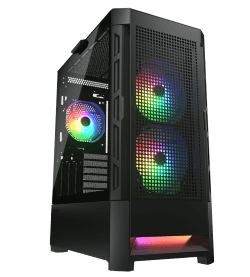
Every system we build uses DDR5 in dual channel, with the memory’s rated profile switched on before it ships. If you want a refresher on memory in general, our guide on what RAM does covers the basics. A few examples from our gaming computers:
DDR5 RAM questions
Is DDR5 faster than DDR4?
Yes, mainly because of much higher bandwidth. In real nanoseconds, latency is similar.
Can I put DDR5 in a DDR4 motherboard?
No. The sticks are keyed differently and won’t fit. You’d need a DDR5 motherboard.
What speed DDR5 should I buy?
DDR5-6000 is the best balance of price and performance for most current processors. Check your motherboard’s supported list for high-speed kits.
Is the DDR5 vs DDR4 difference noticeable in everyday use?
Not much for browsing and office work. It shows in games, creative apps and heavy multitasking.
What’s the biggest difference between DDR4 and DDR5 for gamers?
Smoother frame times in demanding games, thanks to higher bandwidth. The average frame rate gain is modest, but stutter is reduced.
Is DDR5 RAM more reliable?
DDR5 includes on-die error correction that fixes some errors inside the memory chips themselves. It’s not the same as the full ECC memory used in servers, but it helps DDR5 run reliably at high speeds.
Will DDR6 replace DDR5 soon?
Not soon. DDR5 is expected to remain the desktop standard for the next few years, so it’s a safe choice for a new PC.
Do I need to set anything up?
Enable the XMP or EXPO profile in the BIOS so the memory runs at its rated speed. Without it, DDR5 runs at a slower default.