What is RAM? It’s your computer’s short-term memory: a fast workspace where the processor keeps everything it’s using right now. Every open app, browser tab, game level and document lives in RAM while you work with it. When people say a computer “needs more memory”, this is what they mean.
In one line: RAM holds what you’re working on now, storage holds everything you’ve saved. More RAM lets you keep more open at once without slowing down.
What does RAM stand for?
RAM stands for random access memory. “Random access” means the processor can jump straight to any piece of data, in any order, almost instantly, rather than reading through it from start to finish. That’s what makes it so quick compared with storage.
If you’ve ever wondered what does RAM stand for on a spec sheet that lists “16GB DDR5”, now you know: 16 gigabytes of random access memory, using the DDR5 standard.
What does RAM do?
Think of your computer as a workshop. Storage, your SSD or hard drive, is the shed out the back where every tool and project is kept. RAM is the workbench. When you start a job, you bring what you need from the shed onto the bench so it’s right in front of you.
A bigger bench lets you have more projects out at once. A small bench means constantly walking back to the shed to swap things around, which is slow. That’s exactly what happens in a computer that’s short on memory.
So what does RAM do day to day? It holds Windows itself, every running program, your open documents, browser tabs, the game you’re playing and its textures and level data. The processor reads and writes this data billions of times a second.
RAM vs storage: not the same thing
This trips up a lot of people, partly because both are measured in gigabytes.
| RAM | Storage (SSD or hard drive) | |
|---|---|---|
| Job | Working space for what’s open now | Long-term home for files and apps |
| Typical size | 16GB to 64GB | 1TB to 4TB |
| Speed | Extremely fast | Fast (SSD) to slow (hard drive) |
| When the power goes off | Cleared | Kept |
That last row is important. RAM is “volatile”, which means it forgets everything when the power is cut. That’s why unsaved work disappears in a blackout, and why saving to storage matters.
What happens when you run out?
When your memory fills up, Windows doesn’t crash. Instead it moves some of the data to a reserved area on your storage drive, called the page file. Storage is much slower than RAM, so things start to drag: apps take a moment to respond, switching windows stutters, and games hitch as they load new areas.
You can see how much is in use by opening Task Manager (Ctrl, Shift, Esc) and clicking Performance, then Memory. If it regularly sits above about 85 per cent while you work, more RAM will make a real difference.
What is a RAM stick, and what’s inside your PC?
In a desktop, memory comes on small circuit boards called modules or sticks, which clip into slots on the motherboard. Most motherboards have two or four slots. Laptops use smaller sticks, and many thin laptops have memory soldered directly to the board, which means it can’t be upgraded.
Two sticks are better than one. With a pair installed in the right slots, the memory works in “dual channel” mode, effectively doubling the lanes between memory and processor. A single 16GB stick is noticeably slower than two 8GB sticks.
Speed and generations
Memory has generations, like DDR4 and DDR5, which aren’t interchangeable. Your motherboard supports one or the other. Within a generation, speed is listed in MT/s (for example, DDR5-6000), and lower latency numbers (CL) are better. In practice, matching the right capacity and running in dual channel matters far more than chasing the fastest kit.
One setting worth knowing: new memory often runs below its rated speed until you enable its XMP (Intel) or EXPO (AMD) profile in the BIOS. Good system builders do this for you.
For the deeper technical story, including how memory cells actually store data, the Wikipedia entry on random-access memory is a good read.
What is RAM’s role in a gaming PC?
In a gaming PC, memory sits between the storage and the processor. When a level loads, the game copies the data it needs from the SSD into RAM, and the processor pulls from there as you play. Graphics cards have their own separate memory, called VRAM, for textures and frame data. Both matter: system RAM keeps the game and everything around it running smoothly, while VRAM decides how high you can push texture quality.
How much RAM do you need?
| Use | Recommended |
|---|---|
| Web browsing, email, streaming, office work | 16GB |
| Gaming | 16GB minimum, 32GB comfortable |
| Gaming while streaming, photo editing | 32GB |
| 4K video editing, 3D, large CAD projects, virtual machines | 64GB or more |
8GB still technically runs Windows 11, but with a browser and a few apps open it fills up quickly. For any new computer, 16GB is the sensible floor.
Why RAM costs more right now
Memory prices have risen sharply since late 2025, because the big memory makers have shifted production towards the chips used in AI data centres. That’s pushed up the cost of memory upgrades and new PCs alike. It’s one more reason to buy the right amount the first time rather than upgrading later.
What is a RAM upgrade worth?
Going from 8GB to 16GB is one of the most noticeable upgrades an older PC can get. From 16GB to 32GB, the difference shows up when you multitask heavily, stream, edit, or play games that are known to use a lot of memory. Beyond what you actually use, extra RAM sits idle and does nothing for speed.
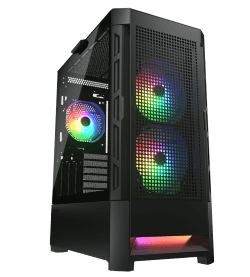
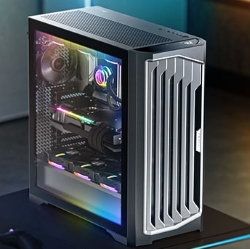
Here’s how memory scales across our range, from a quiet office machine to a 4K powerhouse. You’ll find every configuration listed in our desktop PCs, and our guide to the processor covers the chip that works alongside it:
RAM questions people ask
What is RAM in a phone?
The same thing: working memory for running apps. Phones just use a different, more power-efficient type that’s built into the device.
What does RAM do for gaming?
It holds the game’s data so the processor and graphics card can get to it quickly. Too little causes stutter and long loads. Enough lets the game run smoothly alongside Discord and a browser.
Is more RAM always faster?
Only up to the point you need. Beyond that, speed comes from the processor, graphics card and storage.
What is a RAM slot?
The long connector on the motherboard that memory sticks clip into. Check how many your motherboard has before planning an upgrade.
What is RAM vs ROM?
ROM, or read-only memory, holds permanent instructions like the motherboard’s firmware. RAM is temporary working space that’s cleared every time you shut down.
What does RAM do when the PC is off?
Nothing. It loses its contents the moment power is cut, which is why your PC loads everything fresh from storage each time you turn it on.
What is RAM speed, and does it matter?
It’s how fast data moves to and from memory, listed in MT/s. Faster helps a little in games and creative apps, but having enough memory in dual channel matters more.
Can I mix different RAM sticks?
It often works, but it’s not ideal. Mixed sticks run at the speed of the slowest one and can cause instability. Matching kits are best.