The i5 vs i7 decision is one of the most common choices people make when picking a computer, and one of the easiest to overspend on. Intel’s naming makes it look like a simple good, better, best ladder. In reality, the right step depends almost entirely on what you do with the PC.
Here’s what actually changes between an i5, an i7 and an i9, and where the extra money makes a difference you’ll notice.
What the names mean
Intel’s Core i5, i7 and i9 are tiers within the same generation. Higher tiers get more cores, higher clock speeds and more cache. The numbers after the tier tell you the rest:
- 14 in a model like the i7-14700 means 14th generation.
- K means it’s unlocked for overclocking.
- F means it has no built-in graphics, so it needs a separate graphics card.
- KF means both.
Intel’s newer chips use a different badge, Core Ultra 5, 7 and 9, but the tiers work the same way. Everything below applies to those too. Wikipedia keeps a thorough history of the Intel Core family if you want to trace the names back.
Intel i5 vs i7 vs i9: the 14th generation compared
| Core i5-14400F | Core i7-14700K | Core i9-14900K | |
|---|---|---|---|
| Cores (performance + efficient) | 10 (6 + 4) | 20 (8 + 12) | 24 (8 + 16) |
| Threads | 16 | 28 | 32 |
| Max boost | 4.7GHz | 5.6GHz | 6.0GHz |
| L3 cache | 20MB | 33MB | 36MB |
| Best suited to | Gaming, everyday use | Gaming plus streaming and editing | Heavy rendering and workstation tasks |
Look at the jump from i5 to i7: two more performance cores, eight more efficient cores, more cache and higher clocks. That’s a big step. The i7 vs i9 step is smaller: the same eight performance cores, four more efficient cores and slightly higher speeds, for a noticeably higher price and more heat.
i5 vs i7 for gaming
Most games lean on six to eight fast cores. A current i5 has six performance cores plus efficient cores to handle background tasks, which is enough to drive even powerful graphics cards well at 1440p and 4K. At those resolutions the graphics card does most of the work, so an i5 and an i7 often produce very similar frame rates.
The i7 pulls ahead in two situations: very high frame rates at 1080p, where the processor becomes the limit, and CPU-heavy games like large simulations, strategy games and busy multiplayer matches. Its extra cache and performance cores keep frame times steadier when the game gets chaotic.
So for a gaming-only PC, put the money into the graphics card first. The intel i5 vs i7 choice matters less than most people expect.
i5 vs i7 for streaming and multitasking
Here the i7 earns its price. Running a game, a stream, chat, browser tabs and a music app all at once is exactly the kind of load where extra cores help. Modern graphics cards can encode the stream themselves, which takes a lot of pressure off the processor, but the i7’s spare capacity still keeps everything smoother.
If you stream regularly, or you’re the type to have 40 tabs open while gaming, the i7 is the better long-term buy.
i7 vs i9: who needs the top tier?
An i9 makes sense when your work scales across every core: rendering 3D scenes, exporting long 4K videos, compiling large software projects or running simulations. In those jobs, it finishes noticeably faster than an i7, and time saved is money saved.
For gaming, the i7 vs i9 difference is usually small, and the i9 runs hotter and uses more power. It needs a serious cooler, typically a 240mm or 360mm liquid cooler, to hold its top speeds. If you’re not doing heavy creative or technical work, an i9 is mostly paying for headroom you won’t use.
Cooling, power and the cost of going up a tier
A step up in tier also changes what the rest of the PC needs. An i5 runs happily on a decent tower air cooler and a mid-range power supply. An i7 benefits from a stronger cooler, and an i9 really wants a 240mm or 360mm liquid cooler and a quality power supply with plenty of headroom. Those parts add cost, so when you weigh i5 vs i7 vs i9 systems, compare the whole machine rather than just the processor price.
Motherboards matter too. K-series chips are best paired with a Z-series board to make the most of them, while F and non-K chips run perfectly well on more affordable B-series boards.
How long will each one last? The generation you buy matters more than the tier. A current chip of any tier will feel quick for years. When people weigh intel i5 vs i7 for longevity, the i7’s extra cores give it a little more breathing room as software grows more demanding.
A note on 13th and 14th generation stability
Some 13th and 14th generation Intel processors were affected by a stability issue that Intel addressed with microcode updates delivered through motherboard BIOS updates. If you own one of these chips, keep the BIOS up to date. Any reputable system builder should ship machines with the current BIOS installed.
What about the Core Ultra chips?
Intel’s Core Ultra 200S processors, including the newer “Plus” models, follow the same tier logic: Ultra 5 for everyday and gaming, Ultra 7 for heavier multitasking, Ultra 9 for workstation loads. They’re more power-efficient than the 14th generation and add a small NPU for AI features. The Core Ultra 7 270K Plus in particular offers 24 cores at a very competitive price. If you’re weighing Intel against Ryzen as well, our AMD vs Intel guide compares the two.
Which should you choose?
- Gaming, school, office and general use: an i5. It’s the best value and handles far more than most people throw at it.
- Gaming plus streaming, photo editing or heavy multitasking: an i7. The jump in cores is worth it.
- Video production, 3D rendering, CAD or simulation: an i9, or an i7 if budget is tight.
Still unsure? Think about the last time your computer felt slow. If it was during a game, look at the graphics card. If it was during an export or while juggling lots of apps, look at the processor. In the i7 vs i5 debate, that one question usually settles it.
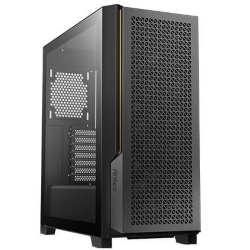
We build with all three tiers. These systems show the range, and our desktop PCs list the exact processor in each one:
i5 vs i7: quick answers
Is an i5 good enough for gaming?
Yes. A current i5 drives powerful graphics cards well, especially at 1440p and 4K. Spend the savings on the graphics card.
Is the i7 worth it over the i5?
If you stream, edit or multitask heavily, yes. For gaming alone, the difference is often small.
Does an i9 make games run faster?
Only slightly in most games. Its real strength is heavy, multi-threaded work like rendering and video exports.
Should I pick i7 vs i9 for video editing?
For occasional editing, an i7 is plenty. If you edit long 4K projects every week, the i9’s extra cores shorten export times enough to justify it.
Is a newer i5 better than an older i7?
Often, yes. A recent i5 can match or beat an i7 from several generations ago, so always compare the generation, not just the tier.
What’s the difference between i7 vs i5 for battery life on laptops?
On laptops, i7 chips can use more power under load, but day-to-day battery life depends far more on the screen and how the laptop is tuned.