Photoshop requirements come in two flavours: what Adobe says you need for the app to open, and what you actually need for it to feel quick with real work. The gap between the two is bigger than most people expect. A PC that meets the minimum will run Photoshop, but large files, lots of layers and the newer AI-powered tools can bring it to a crawl.
Here’s Adobe’s current list, what each part does inside Photoshop, and the setup we’d recommend for smooth editing in 2026.
Adobe’s official Photoshop system requirements
For the current version of Photoshop (version 28 and later), Adobe’s minimum Windows specification is:
| Component | Minimum |
|---|---|
| Processor | Multicore Intel or AMD processor with AVX2 and SSE 4.2 support (Windows on Arm is also supported) |
| Operating system | Windows 10 (version 21H2) or later, with Windows 11 24H2 or newer recommended |
| Memory | 8GB |
| Graphics memory | 1.5GB, with 2GB recommended |
| Storage | 10GB of free space |
For recent versions, Adobe also recommends 16GB or more of memory, 4GB of graphics memory for 4K and larger displays, and a fast internal SSD with a separate drive for scratch space. It doesn’t test with graphics cards more than seven years old. Check the latest details on Adobe’s Photoshop technical requirements page, as they change with major releases.
Photoshop minimum requirements vs real life
The Photoshop minimum requirements describe the floor. On a machine with 8GB of memory and an old graphics card, you’ll be able to crop, adjust and retouch smaller images. Push it with high-resolution files from a modern camera, dozens of layers, smart objects or filters, and it slows down, saves take ages and the app may warn you it’s out of memory.
Windows 10 is also on Adobe’s list, but Microsoft ended support for it in October 2025. For security updates, Windows 11 is the sensible choice.
What each part does in Photoshop
Processor
Many everyday Photoshop tasks, like brushes, adjustments and the general feel of the interface, rely on fast individual cores. Filters, exports and some batch operations use more cores. A modern processor with strong single-core speed and eight or more cores, such as a Core Ultra 7 or Ryzen 7, gives you both.
Memory
This is where Photoshop is most demanding. Every layer, history state and open document lives in memory. When it runs out, Photoshop moves data to its scratch disk, which is much slower. 32GB is the comfortable amount for most photographers. Very large files, big panoramas, composites with hundreds of layers or heavy print work benefit from 64GB.
Graphics card
Photoshop uses the graphics card for smooth zooming and panning, many filters, and several AI-powered features that run on your own machine. A card with 8GB of graphics memory, like an RTX 5060, handles this comfortably. Generative Fill and some other AI tools process in Adobe’s cloud, so they depend more on your internet connection than your graphics card.
Storage and the scratch disk
Install Photoshop on a fast NVMe SSD so it launches and opens files quickly. Photoshop also uses a scratch disk, temporary working space on a drive, when it runs short of memory. Ideally that’s a separate fast SSD from the one Windows runs on. Keep plenty of free space on it. Our SSD vs HDD guide explains why spinning hard drives are a poor fit here.
Monitor
The screen matters as much as anything inside the case. Look for an IPS panel with good sRGB coverage, or wider coverage if you work in Adobe RGB for print. A 27-inch 1440p or 4K monitor gives room for panels and a large canvas. For accurate colour, a hardware calibrator is a worthwhile investment.
Our recommended Photoshop requirements for 2026
| Use | Processor | Memory | Graphics | Storage |
|---|---|---|---|---|
| Hobby and light editing | Modern 6 to 8 cores | 16GB | Built-in or entry-level card | 1TB NVMe SSD |
| Serious photography | 8+ cores, Core Ultra 7 or Ryzen 7 class | 32GB | RTX 5060 or better | 1TB NVMe plus a separate SSD for scratch |
| Large composites, print and design | High-core-count chip | 64GB or more | RTX 5060 Ti or better | 2TB NVMe plus fast scratch and archive drives |
Memory prices are high right now, which makes it tempting to cut back. In Photoshop, memory is the last place we’d save. Our guide on whether 16GB of RAM is enough covers the trade-offs.
Settings that help
Even on a PC that easily meets the Photoshop requirements, a few settings make a difference:
- Memory usage: in Preferences, Performance, let Photoshop use around 70 to 80 per cent of your memory.
- Graphics processor: make sure “Use Graphics Processor” is ticked.
- History states: fewer history states use less memory. Lower the number if you work with huge files.
- Scratch disks: point them at your fastest SSD with the most free space, not the Windows drive.
Signs your PC falls short of the Photoshop requirements
- Brush strokes lag behind your pen or mouse.
- Zooming and panning stutter on large files.
- Photoshop warns that the scratch disk is full.
- Filters and exports take much longer than they should.
- The graphics processor option is greyed out in Preferences.
If several of those sound familiar, your computer is close to the Photoshop requirements floor, and an upgrade will make a real difference.
Beyond the Photoshop system requirements: tablets and colour
Retouchers and illustrators often add a pen tablet, which makes masking and brushwork far more natural than a mouse. Tablets need nothing special from the PC beyond a free USB port and drivers. For colour-critical work, calibrate your monitor regularly and keep the room lighting consistent. Even a powerful PC can’t fix colours that are wrong on the screen.
Do laptops meet the Photoshop requirements?
Many do on paper. In practice, laptop screens are often small or inaccurate for colour work, and thin laptops can slow down under sustained load. A laptop with 32GB of memory and an external calibrated monitor works well. For a dedicated editing desk, a desktop gives more performance and upgrade room for the money.
Our Photoshop-ready systems
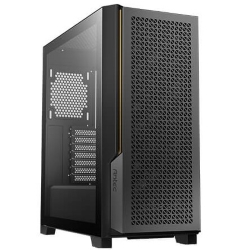
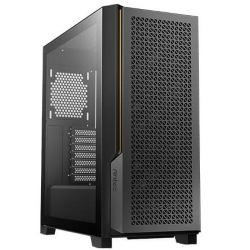
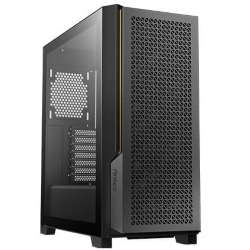
These desktops comfortably exceed Adobe’s Photoshop system requirements, with fast processors, 32GB of memory and NVMe storage. You’ll find more options in our photo editing range:
Photoshop requirement questions
Can Photoshop run on 8GB of RAM?
It runs, but it struggles with large files and many layers. 16GB is the practical minimum, and 32GB is comfortable.
Does Photoshop need a graphics card?
A dedicated card isn’t required, but it helps with smooth navigation, filters and on-device AI features. Recent processors’ built-in graphics are fine for lighter work.
Are the Photoshop system requirements the same for Lightroom?
They’re similar. Lightroom Classic also benefits from a fast processor, 32GB of memory and an NVMe SSD for the catalogue and previews.
What are the Photoshop minimum requirements for a 4K monitor?
Adobe recommends 4GB of graphics memory for 4K and larger displays. A modern graphics card with 8GB handles 4K editing comfortably.
Do Photoshop requirements go up every year?
Gradually. Each major release adds features, especially AI tools, that lean on more memory and graphics power. Buying above the minimum keeps your PC useful for longer.
Is Mac or PC better for Photoshop?
Both work very well. A Windows desktop usually offers more memory, storage and graphics power for the money, and is easier to upgrade later.