A good day trading setup is less about looking like a Wall Street desk and more about reliability. When a position moves fast, the last thing you want is a frozen chart, a dropped connection or a screen too cramped to see what’s happening. Get the basics right and your equipment fades into the background, which is exactly where it should be.
A quick note: this guide covers equipment, not investing. Trading carries real risk, and nothing here is financial advice.
How many monitors do you need?
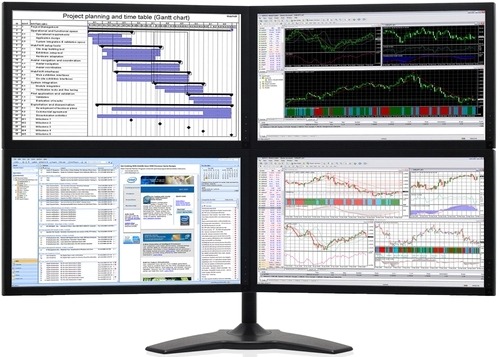
Fewer than social media suggests. Plenty of experienced traders work comfortably on two or three screens. A common layout:
- Screen one: your main chart, straight in front of you.
- Screen two: order entry, positions and watchlists.
- Screen three (optional): news, a second timeframe or market depth.
Four or more screens can help if you watch many markets at once, but each extra screen is more to scan and more to distract you. Start with two good ones and add more if you find yourself constantly switching windows. Our dual monitor setup guide covers connecting and arranging them.
Choosing the screens
For a trading setup, sharpness and size matter more than speed. A 27-inch 1440p monitor shows a lot of chart detail and plenty of text without squinting. A 32-inch 4K screen fits even more. You don’t need a fast gaming refresh rate, though 100Hz or more does make scrolling through charts feel smoother.
Matching monitors look neater and keep colours and text sizes consistent across the desk. A multi-monitor arm holds them at the same height and frees up desk space for notes. Glossy screens reflect windows and lamps, so a matte finish is often the better choice for a day trading setup in a bright room.
What matters in the PC
Trading platforms are less demanding than games, but a busy day trading setup can still push a computer hard: dozens of charts updating every second, multiple platforms, a browser full of research and video news running alongside. What to prioritise:
- A fast modern processor. Many charting platforms rely heavily on single-core speed, so a current processor with strong per-core performance keeps charts responsive.
- 32GB of memory. Lots of charts and tabs eat memory. 16GB works for lighter setups, but 32GB keeps everything smooth.
- A graphics card with enough outputs. Even an entry-level card like the RTX 5050 can drive several monitors. Check the number and type of ports.
- An NVMe SSD. Platforms load quickly and the system stays responsive.
- Quiet, reliable cooling. You’ll be sitting next to it for hours.
If you run heavy backtesting or algorithmic strategies on your own machine, more processor cores and memory pay off. For discretionary trading, a balanced mid-range system is plenty.
Internet: reliability first
For retail traders, a stable connection is the most important part of a day trading setup, far more than shaving milliseconds off latency. A few habits help:
- Use a wired connection. Ethernet is more stable than Wi-Fi, especially in a busy household.
- Have a backup. A phone hotspot or a separate mobile broadband modem lets you manage open positions if the main connection drops.
- Know your broker’s phone line. If everything fails, being able to call and close a position is the last line of defence.
Power protection
A power cut mid-trade is stressful. A small uninterruptible power supply (UPS) keeps the PC, a monitor and the modem running for a few minutes, enough time to manage positions or shut down cleanly. At minimum, use a surge-protected power board.
Trading hours and your desk
The Australian sharemarket trades from 10am to 4pm Sydney time on weekdays, which suits a normal working day. You can check current hours and holidays on the ASX website. US markets are a different story: from Australia’s east coast they run overnight, roughly 1:30am to 8am during our summer. If you trade them, comfort and lighting at night matter even more.
Set the desk up for long sessions: monitor tops at eye level, the main screen straight ahead, a chair with good lower-back support and a light behind the screens to ease eye strain at night. Our home office setup guide covers desks, chairs and lighting in more detail.
Keyboard, mouse and workflow
Speed in a trading setup often comes from muscle memory rather than hardware. Learn your platform’s keyboard shortcuts for order entry and cancelling, and set up hotkeys you can hit without looking. A reliable wired mouse with a couple of programmable buttons can save time too. Keep the desk clear: a notebook, a drink and not much else. Clutter is distraction, and distraction costs money when markets move quickly.
Mistakes we see with a new day trading setup
- Too many screens too soon. Six monitors look impressive but are hard to take in at a glance.
- Plugging monitors into the motherboard. With a graphics card installed, connect every screen to the card.
- Relying on Wi-Fi. It works until it doesn’t, usually at the worst possible moment.
- No backup plan. Know how you’d manage a position if the PC, power or internet failed.
Fixing these costs little, and it makes a day trading setup far more dependable.
Security for trading accounts
- Turn on multi-factor authentication for every broker and exchange account.
- Keep Windows, browsers and trading software up to date.
- Be wary of browser extensions and “trading tools” from unknown sources.
- Consider keeping trading on its own user account, separate from everyday browsing and gaming.
Day trading setup ideas for different budgets
- Starter: a reliable desktop, two 24 to 27-inch monitors, a wired connection and a phone hotspot as backup.
- Serious: a fast desktop with 32GB of memory, three or four matching 27-inch 1440p screens on an arm, and a small UPS.
- Heavy analysis: a high-core-count processor and 64GB of memory for backtesting, plus a 4K main screen.
Our take
The best trading setup is the one that stays out of your way: reliable, comfortable and clear. Spend first on a solid computer and good screens, then on backups for internet and power. Fancy extras can come later.
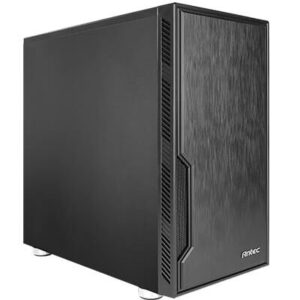
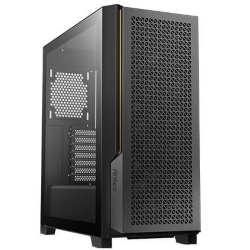
These systems are built for multi-screen work, with quiet cooling and enough outputs to drive several monitors. More options are in our range of multi-screen desktops:
Trading setup questions
Do I need a powerful computer for day trading?
Not extreme, but responsive. A modern processor, 32GB of memory and an SSD keep many charts running smoothly.
How many monitors are best for a day trading setup?
Two or three suits most traders. More can help if you watch many markets, but it’s not essential.
What’s the most important part of a trading setup?
Reliability. A dependable computer, a stable internet connection and a backup plan matter more than the number of screens.
Is a curved monitor good for a day trading setup?
A single ultrawide or curved screen can replace two monitors with no gap in the middle. Some traders love it, others prefer separate screens for separate tasks.
Can I use a laptop?
Yes, with a dock and external screens. A desktop is usually more powerful, quieter and better at driving several monitors.
Does internet speed matter?
Stability matters more than raw speed. A wired connection and a backup option are the priorities.